Repeat on page
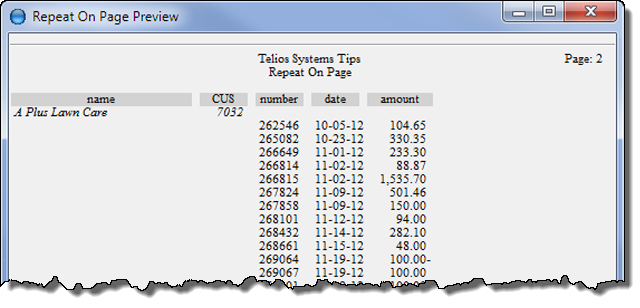
The page modifier will force a repeat at the top of the next page if the value has not changed, but the next record will print on a new page. To differentiate the original print from the new page, the value prints italic.
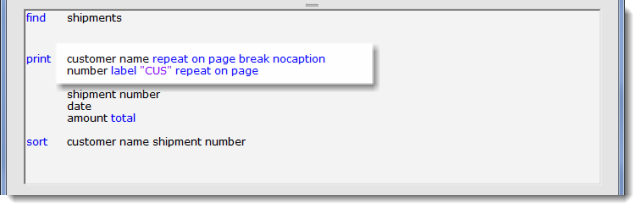
Here, both the customer name and number will print on the next page.
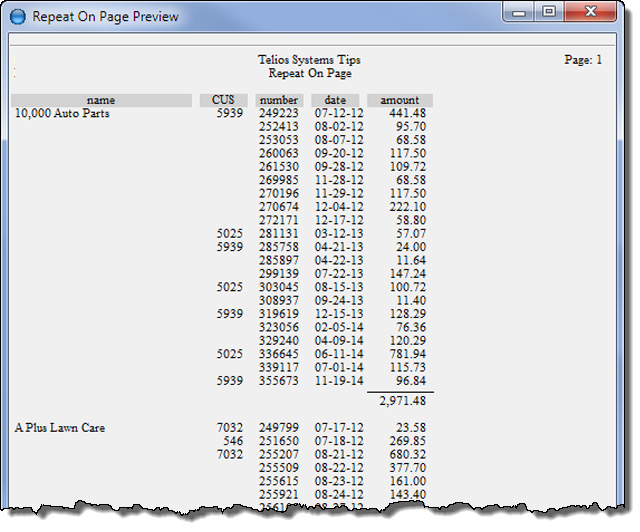
and the next page:
The repeat on page can also be used with headers. (See: Print — Header):
Here is an example:
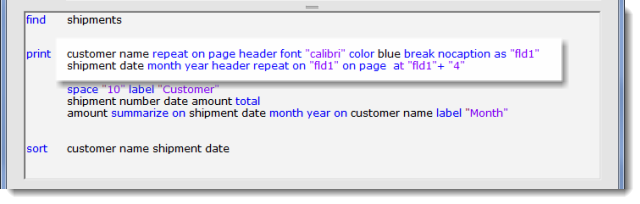
- customer name repeat on page header font “calibri” color blue break nocaption as “flid1”
- repeat on page — repeats the formatting of customer name (in italic) on new page
- header — customer name is above the columns.
- font “calibri” — text font.
- color blue — prints in blue (blue is a dictionary word).
- break — print subtotals for customer name.
- nocaption — no caption left of the subtotals.
- as “fld1” — gives an alias to the field (customer name). The alias is optional.
- shipment date month year header repeat on “fld1” on page at “fld1” + “4”
- date month year — filters the date to month and year.
- header — above the columns.
- repeat on “fld1” — prints whenever date value changes or when “fld1” changes (customer name). Without the alias it would be: repeat on customer name.
- on page — repeats the formatting of date (in italic) on new page.
- at “fld1” + “4” — prints at the starting position of “fld1” (customer name) with an indent of 4 characters. Without the alias it would be: at customer name + “4”.
the result:
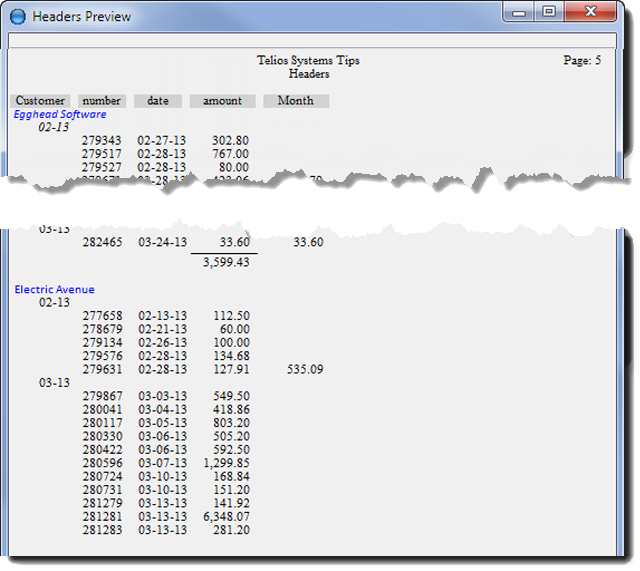
and the next page:
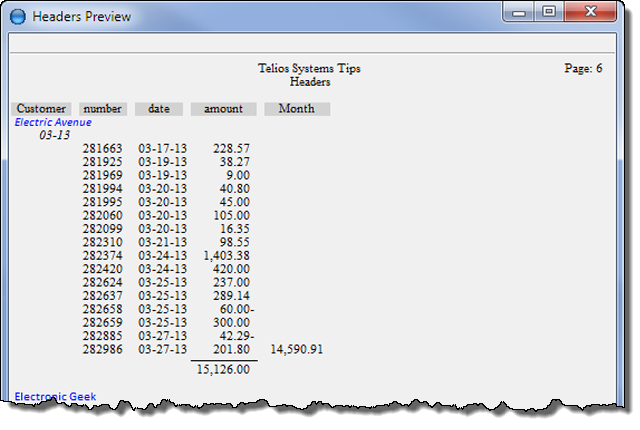
Both the Customer name (Electric Avenue) and the month year of the current date (03-13) print, both in italic.
 Page 1 — repeat
Page 2 — norepeat
Page 3 — repeat on
Page 4 — repeat on page